用autocomplete_rails做一个搜索自动补全功能
flchp 关注 2023-08-17 112 31 23 22
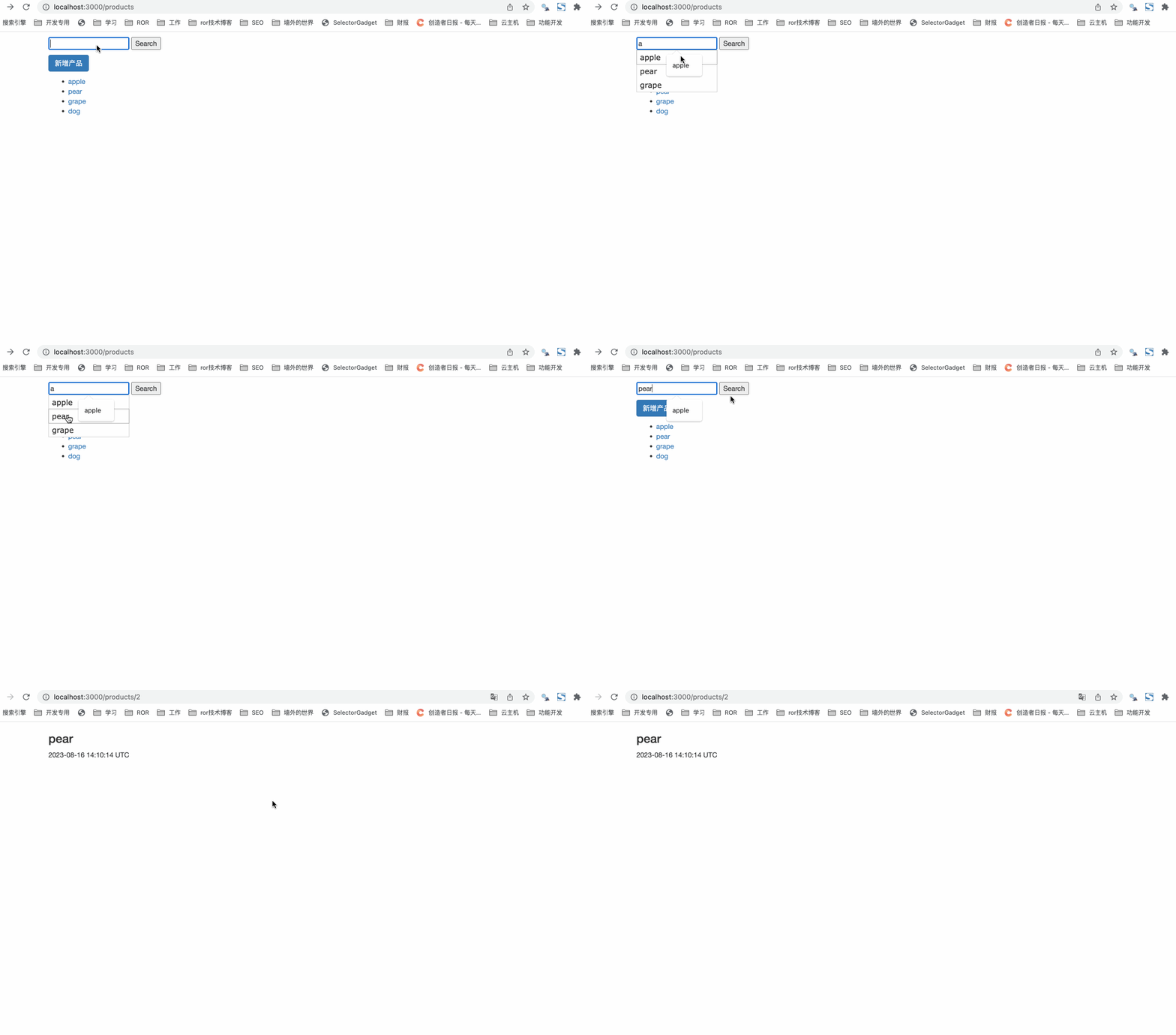
在某些场景下会用到带自动补全的搜索功能,比如股票网站财报营,在搜索框中开始输入股票的代码或者股票名字,会自动弹出相匹配的备选股票代码和名字。选择自己所需的股票代码提交后就能跳转到该股票到详情页。
这个功能在rails中可以使用autocomplete_rails这个gem帮助实现。
实现步骤
autocomplete_rails这个gem需在jquery-rails、jquery-ui-rails这两个gem安装的前提下使用。
安装gem
gemfile
1 2 3 | gem 'jquery-rails' gem 'jquery-ui-rails' +gem 'autocomplete_rails' |
执行bundle install,重启rails s
引入自动自动补全的主题样式
app/views/layouts/application.html.erb
1 2 3 4 5 6 7 8 9 | <head> <title>Rails101</title> <%= csrf_meta_tags %> <%= stylesheet_link_tag 'application', media: 'all', 'data-turbolinks-track': 'reload' %> <%= javascript_include_tag 'application', 'data-turbolinks-track': 'reload' %> +<link rel="stylesheet" href="//code.jquery.com/ui/1.12.1/themes/smoothness/jquery-ui.css"> </head> |
在index页面添加带自动补全的搜索框
app/views/products/index.html.erb
1 2 3 4 5 6 7 8 9 10 11 12 13 14 15 16 17 18 19 20 21 22 23 24 25 26 27 28 29 | <div class="col-md-10 col-md-offset-1"> <!-- 区间是带自动补全提示的搜索框代码 --> <p> <%= form_tag search_products_path, method: :get do %> <%= text_field_tag :name, params[:term], data: { autocomplete_source: autocomplete_name_products_path }, required: "required", autocomplete: "off" %> <%= submit_tag "Search" %> <% end %> </p> <p> <%= link_to("新增产品", new_product_path, class: "btn btn-default btn-primary") %> </p> <script> $(document).ready(function() { $('input[data-autocomplete-source]').each(function() { var input = $(this); input.autocomplete({ source: input.data('autocomplete-source') }); }); }); </script> <!-- 区间是带自动补全提示的搜索框代码 --> <ul> <% @products.each do |product| %> <li><%= link_to(product.name, product_path(product)) %></li> <% end %> </ul> </div> |
配置功能回用到的几个action
app/controllers/products_controller.rb
1 2 3 4 5 6 7 8 9 10 11 12 13 14 15 16 17 18 19 20 21 | def index #在index的view页面添加搜索框 @products = Product.all end def autocomplete_name #输入字符后,自动添加相匹配的提示字段 term = params[:term] products = Product.where('name LIKE ?', "%#{term}%") render json: products.pluck(:name) end def search # 搜索到目标实例后,准备跳转到实例的详情页 query_string = params[:name].gsub(/\\|\'|\/|\?/, "") if params[:name].present? # 拿到搜索框的 value 值 if query_string.present? @product = Product.find_by_name!(query_string) redirect_to product_path(@product) end end def show #跳转到详情页 @product = Product.find(params[:id]) end |
添加几个动作的相关路由
config/routes.rb
1 2 3 4 5 6 7 | +resources :products do + collection do + get :autocomplete_name + get :search + end + end |
完成